When a buyer types a valid email address into a form and leaves without paying, Payment Page sends them up to three reminders with a link back to the form:
- about 1 hour later,
- 1 day after the first,
- 3 days after the second.
The reminders stop as soon as that buyer pays on the form, or when they click the unsubscribe link that every reminder includes. A buyer is reminded once per form: entering the same email again never starts a new series.
Turn on reminders#
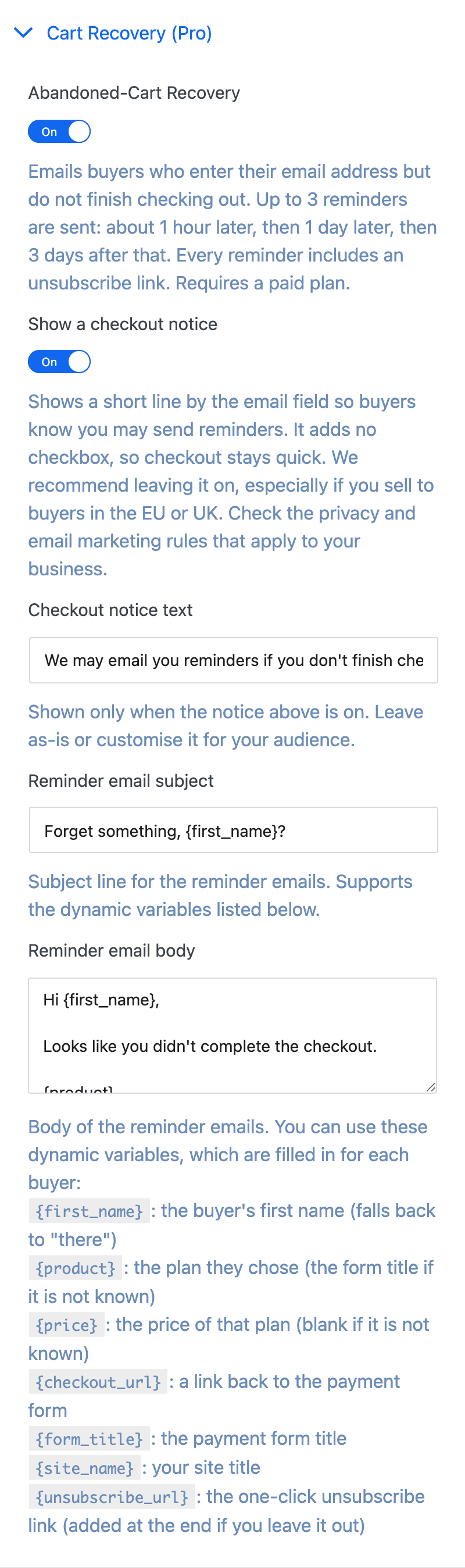
Open the form, expand Cart Recovery (Pro) and switch on Abandoned-Cart Recovery. Click Update to save. The Cart Recovery template comes with reminders already on.
| Setting | What it does |
|---|---|
| Abandoned-Cart Recovery | Turns reminders on for this form. Off by default. |
| Show a checkout notice | Shows a short line on the form so buyers know you may send reminders. On by default. |
| Checkout notice text | The notice's wording. |
| Reminder email subject | Subject line of every reminder. |
| Reminder email body | Plain-text body of every reminder. |
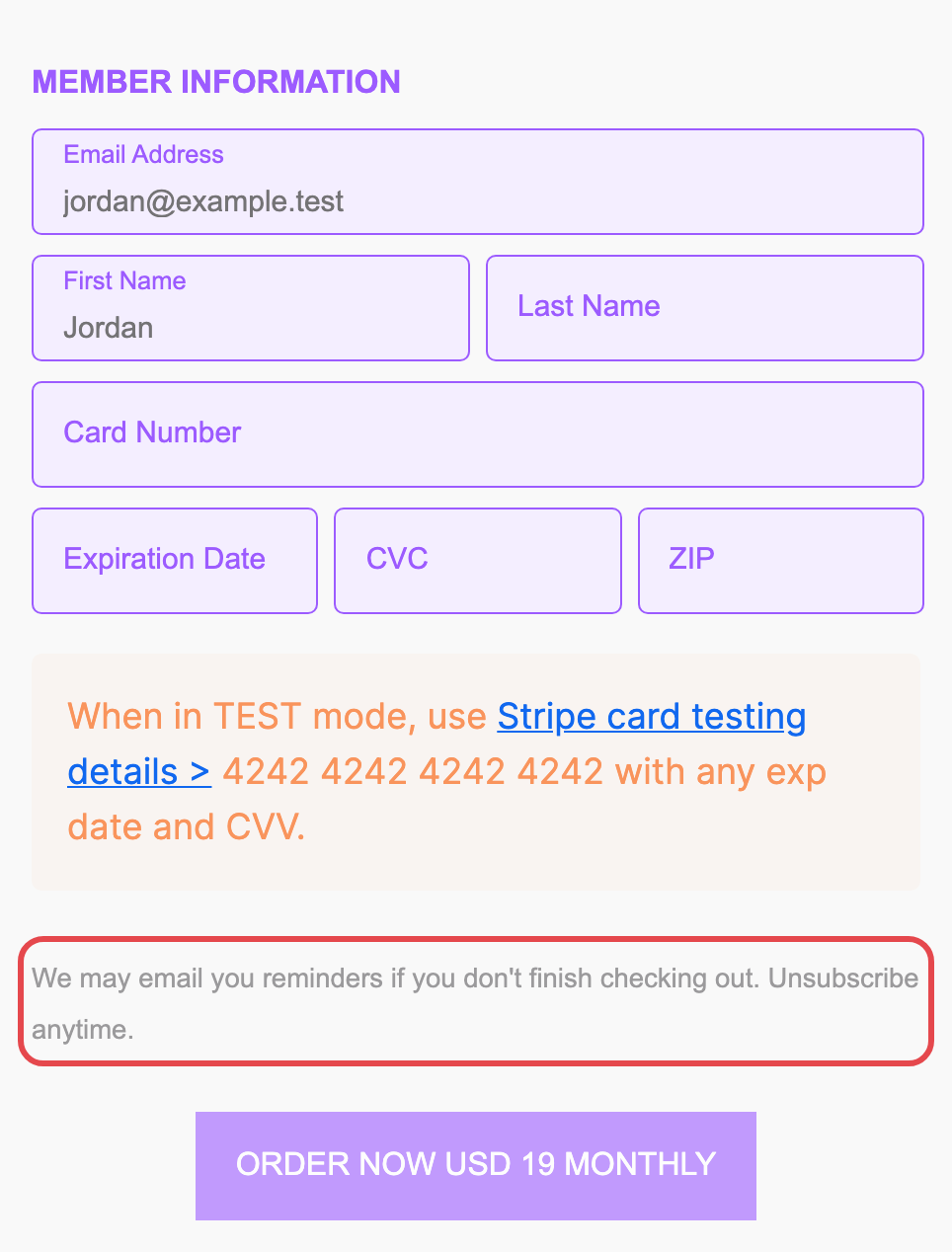
The notice adds no checkbox, so checkout stays quick. We recommend leaving it on, especially if you sell to buyers in the EU or UK, and checking the privacy and email marketing rules that apply to your business.
Dynamic variables#
Use these in the subject and body. Each one is filled in for every buyer:
| Variable | Becomes |
|---|---|
{first_name} |
The buyer's first name, or "there" if they didn't enter one |
{product} |
The plan they chose, or the form title if it isn't known |
{price} |
The price of that plan, or blank if it isn't known |
{checkout_url} |
A link back to the payment form |
{form_title} |
The payment form's title |
{site_name} |
Your site title |
{unsubscribe_url} |
The one-click unsubscribe link |
If you leave {unsubscribe_url} out of the body, Payment Page adds the unsubscribe line at the end.
Sending#
Reminders are sent by WordPress with the same sender as the form's emails: its From email and From name, or your site's defaults if those are empty. Use an SMTP plugin or a transactional email service so they reach the inbox.
Payment Page checks for due reminders every hour using WP-Cron. If your host turns WP-Cron off, set up a real cron job that calls wp-cron.php so reminders still go out. Reminder records are removed automatically, at the latest 30 days after the buyer's visit.